In 2026, a striking online portfolio is no longer optional for photographers. Clients and agencies expect to see your work instantly, and a polished site can be the difference between landing new gigs or getting overlooked.
Selecting the right photography website builder is now a vital part of your professional toolkit. With so many options, knowing which platform will best showcase your images, support your business needs, and help you grow can feel overwhelming.
This guide reviews the top 7 photography website builder choices for 2026. We compare features, pricing, and real-world advantages, helping you discover the platform that fits your vision and ambitions best.
Ready to elevate your digital presence? Let’s explore which builder will make your photography portfolio stand out and win more clients.
What to Look for in a Photography Website Builder
Choosing the right photography website builder is the foundation of a truly standout portfolio. Not all builders are created equal, so focusing on features that matter to photographers will save you time and help you attract more clients. Here is what you should prioritise when selecting your ideal platform.
User-Friendly Design and Customisation
A great photography website builder makes site creation simple, even if you have zero coding experience. Look for platforms with drag-and-drop editors that let you build and tweak your site visually.
Customisable templates designed specifically for photographers will help you showcase your work beautifully from the start. For example, Format’s Flex Block lets you move elements freely, offering creative freedom without complexity.
Preview features and built-in mobile optimisation ensure your portfolio looks perfect on any device. Intuitive navigation is essential, especially for non-technical users who want to focus on their craft, not web development.
Image Quality, Galleries, and Storage
Image presentation is at the heart of every photography website builder. Ensure the platform supports high-resolution images and allows for unlimited galleries or albums to display your best work.
Check storage and file size limits, as these can vary widely. For instance, Wix offers 500MB on its free tier, while Squarespace has a 20MB per file limit. Flexible gallery layouts such as full-screen, grid, mosaic, or slideshow add variety and professionalism.
Client proofing and password-protected galleries are invaluable for private sharing and feedback. Fast-loading images are also critical for user experience and SEO, helping your portfolio stand out.
Built-In SEO and Marketing Tools
Visibility is everything when it comes to your portfolio. The best photography website builder should include built-in SEO tools like meta tags, alt text, and step-by-step SEO guides.
Blogging features allow you to attract organic traffic and share stories behind your shoots. Email marketing integrations and social media connectivity make it easy to promote your work across channels.
Analytics dashboards help you track visitors and performance. For a deeper dive into optimising your site, explore Advanced SEO tools for portfolios to boost your portfolio’s ranking and reach more potential clients.
E-Commerce and Client Management
A modern photography website builder should empower you to sell prints, downloads, and services directly from your site. Platforms like Shopify, Squarespace, and Avantiy offer built-in eCommerce and payment processing.
Integrated booking features and client login areas simplify the client journey, from initial contact to final delivery. Tools for invoicing and workflow management are especially valuable for wedding and event photographers managing multiple projects.
Real-world users benefit from streamlined processes, enabling them to focus on creativity while their website handles sales and client communication.
Top 7 Photography Website Builder Options for 2026
Choosing the right photography website builder in 2026 is the first step to creating a portfolio that truly stands out. With so many options, it is essential to compare features, pricing, and unique strengths. Below, you will find a detailed review of the seven best platforms, each designed to help photographers of all levels showcase their work and grow their business online.
Avantiy: The All-in-One AI-Powered Website Builder
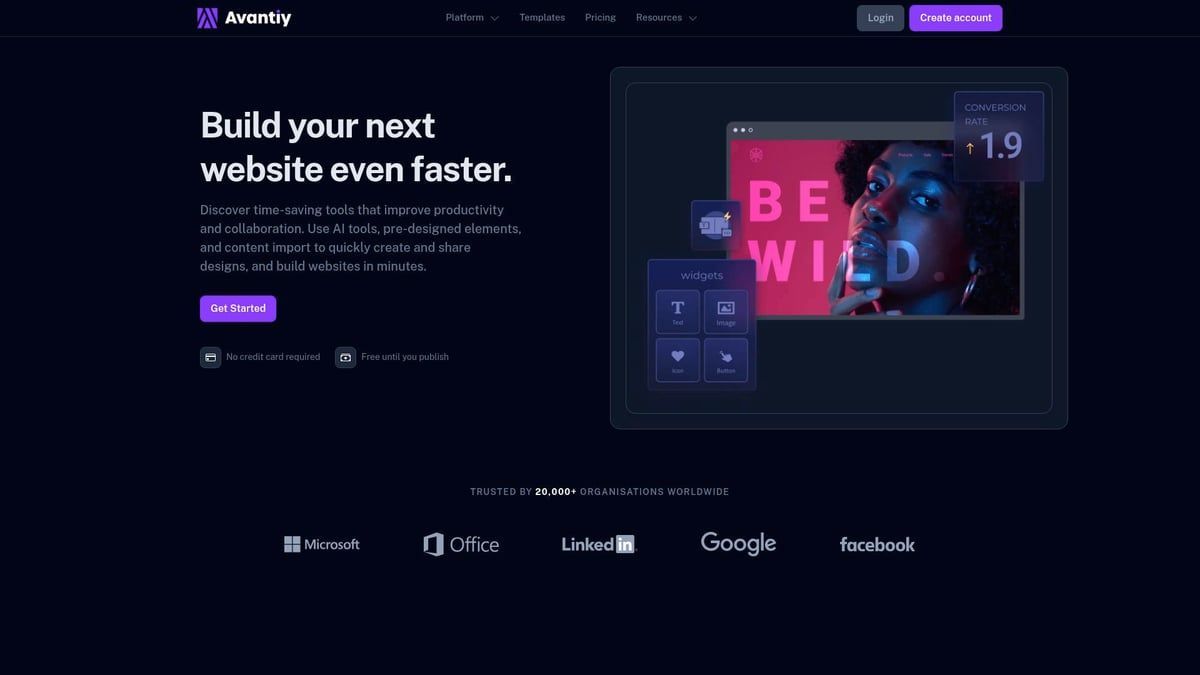
Avantiy is a modern photography website builder designed for speed, flexibility, and future-proof features. It offers a free-to-start model, so you only pay when your site is ready to go live. No credit card is required upfront, making it risk-free for new users.
Core Features:
- AI content assistant for rapid site creation.
- Intuitive drag and drop builder.
- Customisable templates built specifically for photographers. Browse photography templates for your website to see the range.
- Built-in SEO, eCommerce, bookings, and membership tools.
- 400+ third-party integrations for workflow automation.
- Dynamic, high-resolution galleries and fast-loading images.
Unique Selling Points:
- Lightning-fast site speed and performance.
- AI-driven content and design tools.
- Expert support for UK creatives and agencies.
Pros:
- Free until you publish.
- Advanced SEO and scalable features for growing portfolios.
- Rapid site launch, even for non-technical users.
Cons:
- Newer brand, so fewer community resources.
- Slightly fewer photography-specific templates compared to long-standing platforms.
Example: A UK wedding photographer builds a full-featured portfolio, online print shop, and booking system in just one weekend, taking advantage of AI tools to save time.
Ideal For: Photographers and creative businesses who want an easy, AI-powered photography website builder with eCommerce, bookings, and long-term scalability.
Wix: Versatile All-in-One Builder
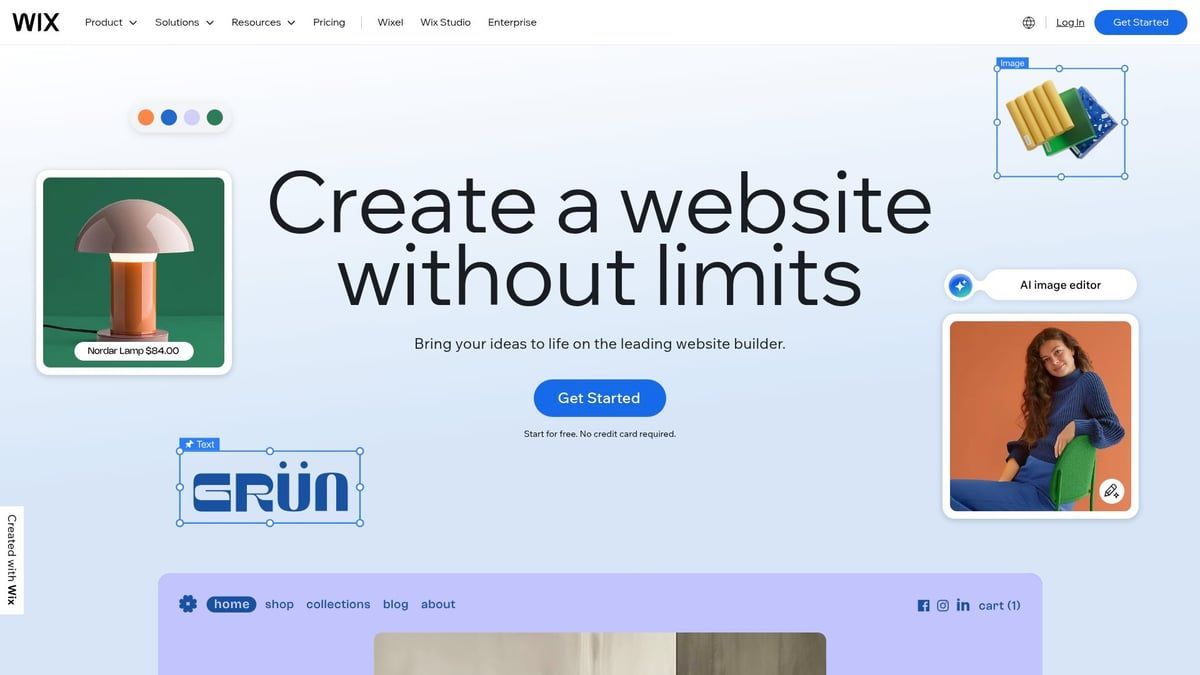
Wix remains a top photography website builder for those who want maximum customisation and flexibility. It starts at £15.30 per month, but a free plan is available for personal use or testing.
Features:
- Over 40 photography templates optimised for different styles and genres.
- Unlimited storage on paid plans.
- Drag and drop editor with advanced design tools.
- Built-in SEO, client login area, and blog integration.
- App marketplace to expand site functionality.
Key Benefits:
- Extensive creative control with hundreds of design elements.
- Supports full-screen, grid, and slideshow galleries.
- Social media integration for cross-promotion.
Pros:
- Free plan for beginners.
- Robust editor with high customisability.
- Strong client gallery features.
Cons:
- Can feel overwhelming for new users.
- Some advanced features require premium plans.
Example: A landscape photographer uses Wix to build a visually striking blog, portfolio, and private client proofing area, all under one domain.
Ideal For: Photographers who want a photography website builder that grows with their creative ambitions and technical skills.
Format: Professional Portfolio Specialist
Format is crafted specifically for photographers who want a polished, distraction-free online portfolio. Plans start at £8 per month (billed annually) with a 14-day free trial.

Features:
- Flex Block creative tool for custom layouts.
- Full-screen and grid gallery options.
- Simple blogging and eCommerce for print sales.
- Built-in SEO and client proofing.
Unique Selling Points:
- Minimal, elegant templates designed by photographers.
- Fast onboarding, ideal for those who want to launch quickly.
Pros:
- Stunning gallery layouts.
- Strong SEO features.
- Easy to use, even for beginners.
Cons:
- Limited blog formatting options.
- Image limits on lower-tier plans.
Example: A portrait photographer builds a distraction-free online showcase with Format, selling prints and delivering client galleries with ease.
Ideal For: Photographers who value simplicity, image-first presentation, and a straightforward photography website builder.
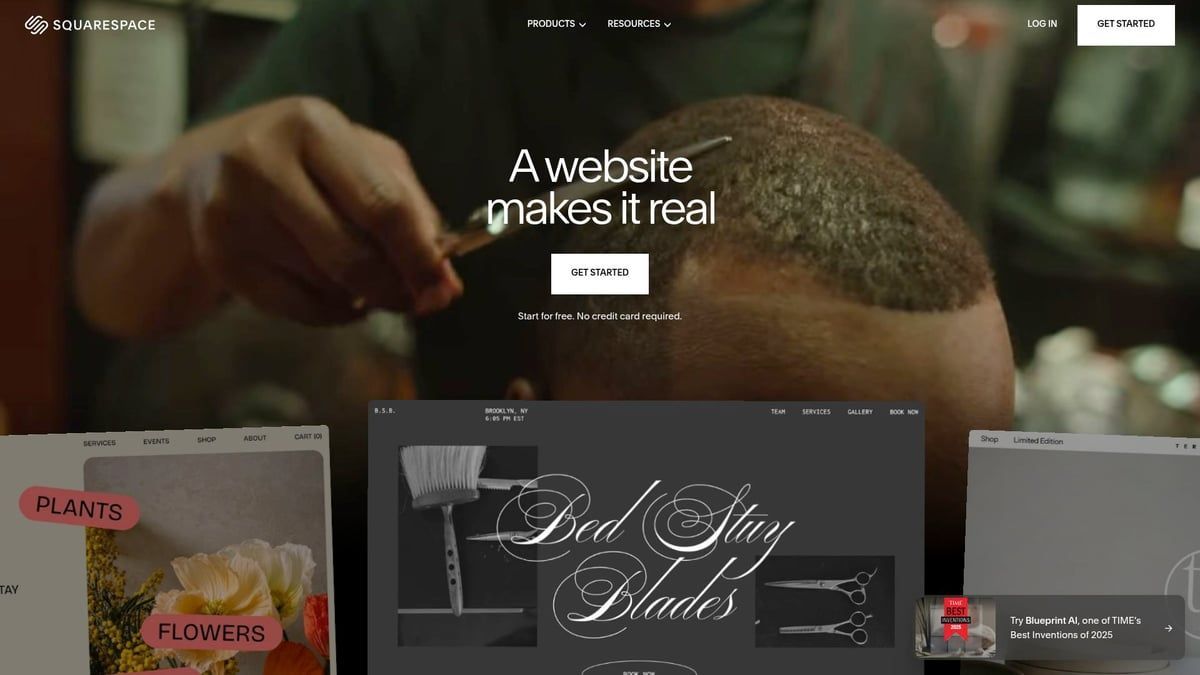
Squarespace: Best for Creative Professionals
Squarespace is a favourite among creative professionals for its elegant design and all-in-one business tools. Pricing starts at £14.40 per month, with a free trial for testing.
Features:
- 27+ photography themes, all mobile-optimised.
- Integrated eCommerce, booking (Acuity), and email marketing.
- Unlimited storage for high-resolution images.
- AI optimisation tools for content and design.
Key Benefits:
- Award-winning template designs.
- Multimedia support for video and audio portfolios.
- Marketing automation and analytics dashboards.
Pros:
- Beautiful, modern templates.
- Robust eCommerce and booking features.
- Easy-to-use blogging tools.
Cons:
- Slightly steeper learning curve for new users.
- Limited mobile app capabilities.
Example: A studio photographer launches a site that combines portfolio, bookings, and an online shop, streamlining their business on one platform.
Ideal For: Creative professionals who want a photography website builder that supports both service and product sales.
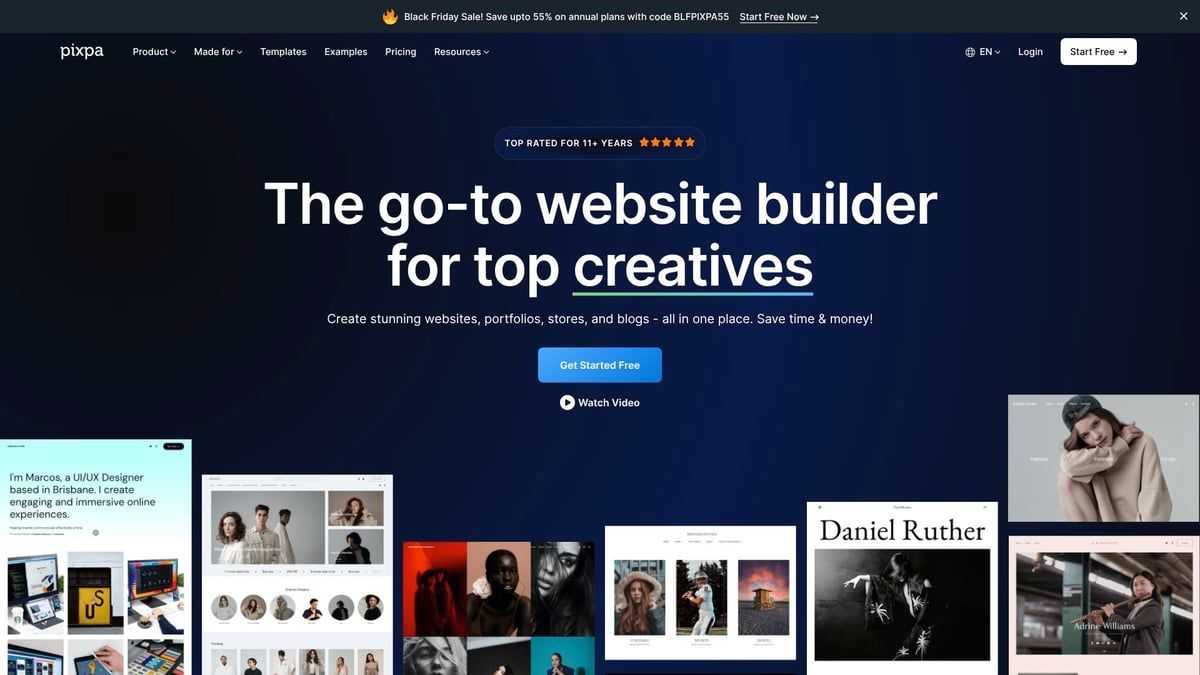
Pixpa: Affordable and Feature-Rich
Pixpa is an affordable photography website builder offering excellent value, especially for freelancers and those just starting out. Plans begin at £4.80 per month (with two-year billing) and include a 14-day free trial.
Features:
- 40+ customisable templates and unlimited galleries (on higher plans).
- Private client galleries with password protection.
- Built-in blogging and strong SEO guides.
- Integrated eCommerce for selling prints and downloads.
Key Benefits:
- Budget-friendly pricing.
- Streamlined client proofing and workflow tools.
- Easy order management for print sales.
Pros:
- Low cost for robust features.
- Simple client management.
- Solid SEO tools for improved visibility.
Cons:
- Slightly dated user interface.
- Limited video support and basic blog formatting.
Example: An event photographer uses Pixpa to deliver client galleries, collect approvals, and sell prints directly through their site.
Ideal For: New photographers and freelancers seeking a cost-effective photography website builder with strong client management features.
Shopify: Best for Selling Photography Online
Shopify is the leading choice for photographers who want to focus on online sales, especially for prints and digital downloads. Plans start at £29 per month, with a special £1 offer for the first three months.

Features:
- Unlimited products and digital downloads.
- Powerful eCommerce engine and secure payment processing.
- Large app store for additional features.
- Multi-channel selling, including social media and marketplaces.
Unique Selling Points:
- Advanced inventory and order management.
- Built for scaling online sales globally.
Pros:
- Highly scalable for growing businesses.
- Marketing automation and analytics.
- Customisable storefronts.
Cons:
- Higher monthly cost.
- Fewer portfolio-focused templates.
- Less suited for pure showcase sites.
Example: A fine art photographer launches a global print shop with automated order fulfilment, using Shopify’s built-in tools to manage sales and inventory.
Ideal For: Photographers prioritising print and digital sales with a photography website builder built for eCommerce.
GoDaddy: Fast and Simple Portfolio Builder
GoDaddy offers a quick and simple solution for photographers who want to get online with minimal effort. Pricing starts at £10.99 per month, and a free plan is available for basic needs.
Features:
- Rapid setup and drag and drop editor.
- Unlimited storage for images.
- Client login area for private galleries.
- 24/7 customer support and built-in marketing tools.
Key Benefits:
- Easiest onboarding for beginners.
- Fast time-to-publish, ideal for side-hustlers or hobbyists.
- Simple, clean interface.
Pros:
- Affordable and accessible.
- No technical skills required.
- Quick to launch and update.
Cons:
- Limited customisation options.
- Basic gallery layouts.
- Fewer advanced features compared to others.
Example: A hobbyist photographer creates a personal showcase and shares private galleries with friends and family in just a few hours.
Ideal For: Photographers who want a straightforward photography website builder for fast, low-maintenance online presence.
Comparison Table: Features, Pricing, and Best Use Cases
The right photography website builder can make or break your online presence. With many options available in 2026, it is vital to see how each platform stacks up side by side. Below is a clear comparison to help you quickly evaluate the leading choices for UK photographers.
Visual Comparison of the Top 7 Builders
Here is a practical table comparing each photography website builder on key features:
| Platform | Starting Price | Templates | Storage | eCommerce | Client Galleries | Unique Strengths |
|---|---|---|---|---|---|---|
| Avantiy | Free to publish | 25+ | Unlimited | Yes | Yes | AI content, 400+ apps |
| Wix | £12.50/month | 40+ | Unlimited | Yes | Yes | Huge template library |
| Format | £6.50/month | 20+ | Varies | Yes | Yes | Flex Block, simplicity |
| Squarespace | £11.50/month | 27+ | Unlimited | Yes | Yes | Award-winning design |
| Pixpa | £4/month | 40+ | Varies | Yes | Yes | Budget, client proofing |
| Shopify | £22/month | 10+ | Unlimited | Yes | No (add-ons) | Advanced eCommerce |
| GoDaddy | £8.99/month | 10+ | Unlimited | Yes | Yes | Fast setup, support |
Each photography website builder offers a different mix of features. Avantiy stands out for its AI-driven tools and seamless integrations, while Shopify leads for dedicated online sales.
Which Website Builder Is Right for You?
Choosing the best photography website builder depends on your goals, budget, and workflow.
- For fast, AI-powered setup: Avantiy is ideal for creatives wanting to launch a polished site quickly.
- For maximum design control: Wix and Format are suitable for those who want custom layouts.
- For selling prints or digital downloads: Shopify, Avantiy, and Squarespace provide strong eCommerce tools.
- For client proofing: Pixpa and Format offer private galleries and easy approvals.
- For simple, fast launch: GoDaddy is perfect for beginners or hobbyists.
Think about your niche. A wedding photographer may need private galleries and bookings, while a fine art seller should prioritise online shop features. Matching your needs to the strengths of each platform ensures your photography website builder supports your growth.
Latest Trends in Photography Portfolio Websites for 2026
In 2026, the photography website builder market is rapidly evolving. AI-powered content and design assistants, like those in Avantiy, are making site creation faster and smarter. Integrated bookings, eCommerce, and mobile-first design are now essential.
Over 70% of clients now view portfolios on mobile, so responsive and fast-loading sites are crucial. Social media integration and built-in SEO tools help increase discoverability and client leads.
For a broader look at where the industry is heading, the Photography Website Builders Market Analysis 2035 highlights the rise in demand for personalised, AI-driven digital portfolios and predicts continued growth in this space.
Tips for Creating a Stunning Photography Portfolio Website
Creating a standout portfolio with your chosen photography website builder is essential if you want to attract clients and grow your reputation in 2026. With the right approach, your website can truly set you apart. Here are four expert-backed strategies to elevate your online presence.
Curate Your Best Work and Tell a Story
The heart of any photography website builder portfolio is your imagery. Focus on selecting only your strongest photographs that reflect your unique style and vision. Organise galleries by project, genre or timeline so visitors can easily navigate your work.
- Curate with intent: Less is more for maximum impact.
- Create themed galleries or feature before-and-after retouching for storytelling.
- Add captions or project descriptions for context.
For more inspiration on crafting a cohesive showcase, review these Best Practices for Building Your Portfolio Website. A well-curated collection makes your portfolio memorable and professional.
Optimise for Speed and Mobile Experience
Your photography website builder should deliver a seamless experience on every device. Compress images to maintain quality while reducing load times. Choose responsive templates that look great on mobiles and tablets.
- Test your site on different screens for consistency.
- Use built-in mobile previews available in Avantiy, Wix and Squarespace.
- Fast-loading sites keep visitors engaged and improve SEO.
Did you know that fast sites retain 53 percent more visitors? Prioritising speed ensures your work is always seen at its best.
Leverage SEO and Social Sharing
To maximise reach, your photography website builder must support modern SEO and social integration. Start by adding alt text and keyword-rich titles to all images.
- Write descriptive meta tags and page descriptions.
- Launch a blog to share behind-the-scenes stories and attract organic traffic.
- Integrate Instagram feeds or share buttons for wider exposure.
Need more tips? Check out these SEO for Photographers: 5 Best Practices to help your site become more discoverable. Smart SEO can bring in more client leads without any extra advertising spend.
Enable Client Proofing and Secure Galleries
A professional photography website builder offers tools for private galleries and client proofing. Use password-protected galleries to share event or portrait sessions securely.
- Let clients mark favourites or order prints directly.
- Streamline your workflow with built-in approval and download tools.
- Example: Wedding photographers can deliver proofs and collect feedback in one place.
This approach saves time, builds trust and delivers a polished client experience.
Frequently Asked Questions: Photography Website Builders in 2026
Building a successful online portfolio often means navigating common questions about the best photography website builder, pricing, eCommerce, and SEO. Here, we answer the most frequent queries to help you make confident choices for your photography business.
What’s the Best Website Builder for Beginners?
If you are new to creating a portfolio, choosing a user-friendly photography website builder is essential. GoDaddy stands out for its fast onboarding and simple interface, making it ideal for first-timers. Avantiy is another excellent choice, offering AI-powered setup and step-by-step guidance, so you can launch a professional site in just hours.
Format also appeals to beginners, thanks to its clean templates and intuitive drag-and-drop editor. Support resources and template simplicity matter, so look for platforms with live chat and helpful guides. For example, a new UK photographer can launch their first site within a weekend using Avantiy or Format.
How Much Should I Expect to Pay?
The cost of a photography website builder varies by features and scale. Entry-level options, including free plans from GoDaddy or Wix, are suitable for simple portfolios. Paid plans usually start from around £4 to £15 per month, with advanced eCommerce or client management features costing up to £40 or more monthly.
Consider what you need: unlimited galleries, eCommerce, or advanced SEO tools will affect your budget. Save money with annual billing or by taking advantage of free trials. Compare features to cost carefully, as a well-chosen plan can offer excellent value and room to grow.
Can I Sell Prints and Digital Downloads Easily?
Yes, most leading photography website builder platforms now offer built-in eCommerce. Shopify is built for online sales, while Squarespace and Pixpa allow you to sell prints or downloads directly. Avantiy provides a seamless experience, letting you set up a print shop, manage orders and accept payments from the same dashboard.
For a closer look at essential eCommerce features, see Built-in eCommerce features. For example, a UK photographer can sell limited edition prints to customers globally, with automated fulfilment and straightforward payment processing.
How Can I Improve My Portfolio’s SEO?
Optimising your photography website builder for search engines is vital to attract new clients. Use built-in SEO tools to add meta descriptions, alt text, and keyword-rich titles. Platforms like Avantiy and Pixpa guide you through SEO best practices, while Squarespace and Wix also include blogging tools to boost organic traffic.
Update your content regularly and monitor performance with analytics. For more insights on building a successful portfolio, read
11 Characteristics of Successful Photography Portfolio Websites. Improving SEO is an ongoing process, but with the right tools, your work will reach a wider audience.
As you’ve seen, having a standout portfolio is vital for photographers in 2026, and finding the right website builder makes all the difference. With platforms like Avantiy offering intuitive drag and drop tools, powerful AI features, and built in eCommerce and client management, you can showcase your work beautifully and grow your business with ease. If you’re ready to create a portfolio that truly reflects your talent and makes it simple to impress clients and sell your services, there’s no better time to take the next step.
Get Started for Free and see how effortless building your photography website can be.